 Setup Sheet Helper
Full setup sheet editor
Mic, 48V, outboard, channel, tie line, cue box, polarity, and notes. One row per source, all in one table.
Free for macOS
Plan mic assignments, channel routing, and room layouts before the session starts, then bring in a clean PDF instead of a scribbled notepad.
Most Macs from 2020 on are Apple Silicon. Choose Intel only for older Intel-based Macs; the Apple menu → About This Mac shows which you have.

Mic, 48V, outboard, channel, tie line, cue box, polarity, and notes. One row per source, all in one table.
Link two rows and their mic, outboard, 48V, and channel settings stay in sync automatically.
Drag and drop instruments onto a real building floor plan. See the room, not just a spreadsheet.
Save a full channel configuration once, reuse it across every future session with that setup.
Grid lines, zebra striping, header shading, and accent color. Print sheets that look like yours.
Multi-select rows, apply sequential numbering, and color-code sections in a couple of clicks.
Track mics, outboard, and preamps per studio, plus a personal gear locker for your own equipment.
Customizable keybinds, dark/light theme, and automatic updates. A desktop app that stays out of your way.
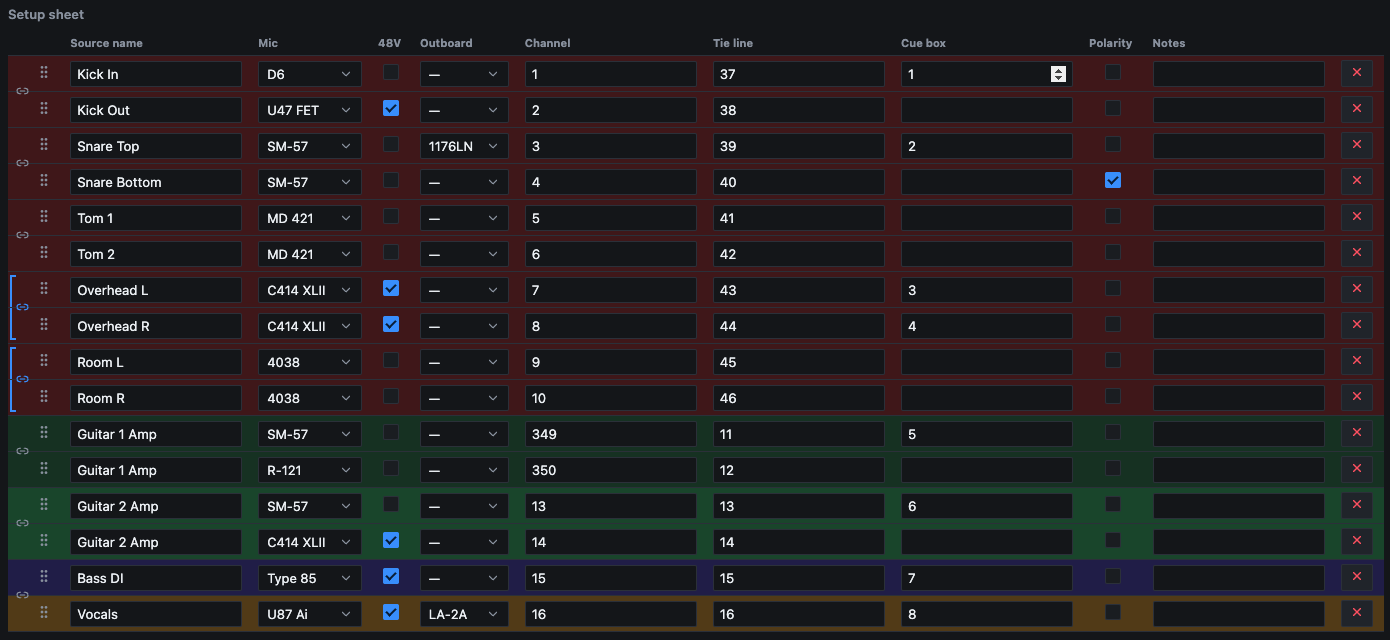
The spreadsheet view every engineer already knows how to read, but with linked stereo pairs, per-row colors, and inline gear pickers pulled straight from your studio's catalog.
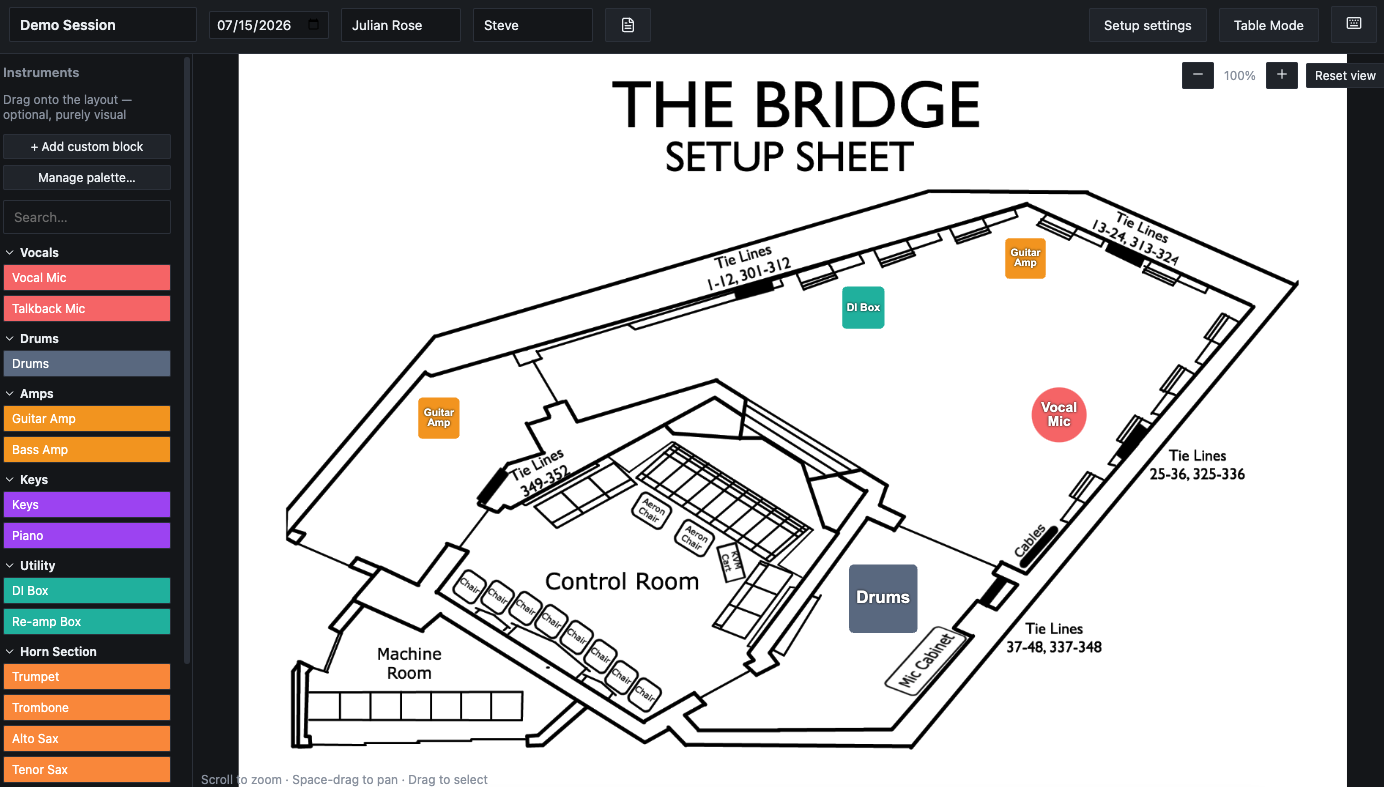
Drag and drop instruments onto a real building floor plan. See the room, not just a spreadsheet, with blocks you can position, resize, and color-code.
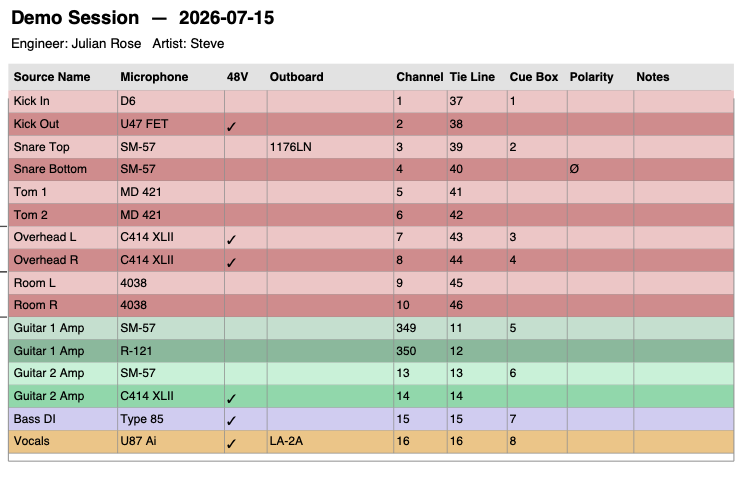
Export a clean, printable sheet with the session date, engineer, and artist up top.

Select a whole section of the sheet and apply sequential channel or tie-line numbers, or a color, in one action instead of row by row.
Download a studio, import it, and your first setup sheet starts with the mic locker, outboard rack, preamps, and floor plan already in place.